Saw-Piercing the Fez Pattern: A Free Template Generator
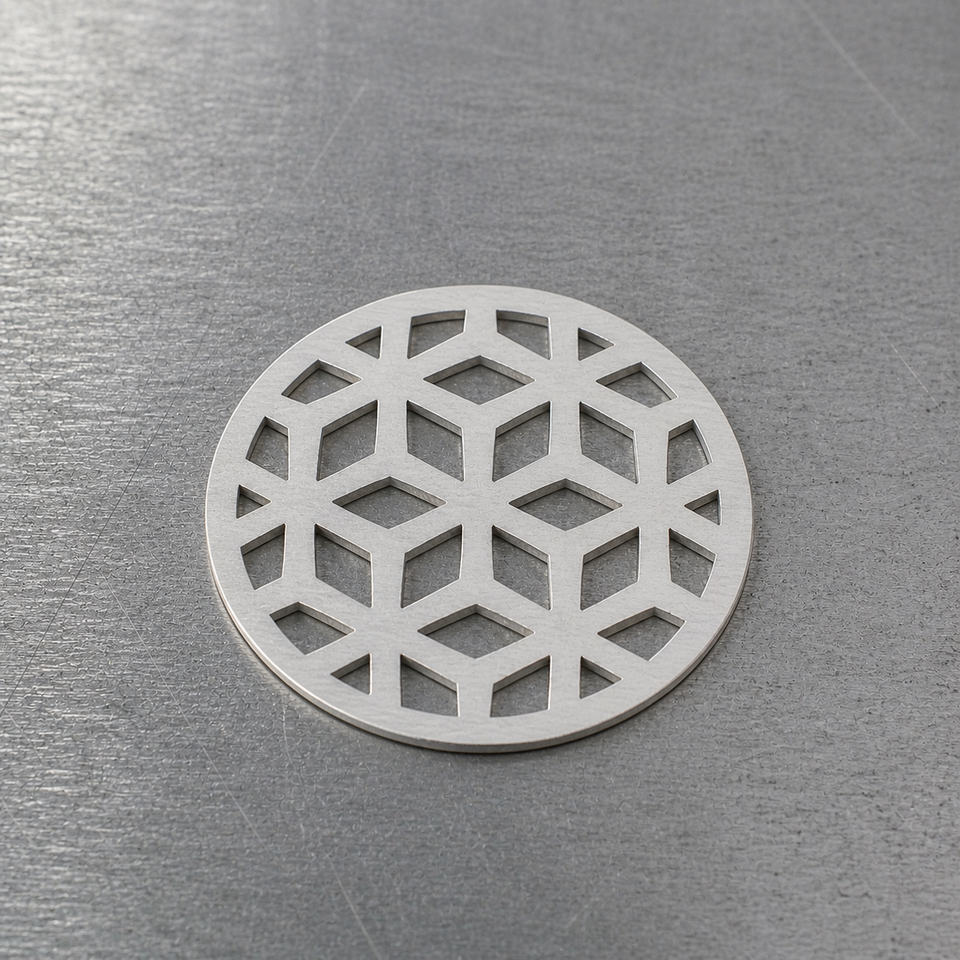
Geometric patterns look easy until you try to draw one.
I've wanted to saw-pierce a pendant with an Islamic geometric pattern for a long time. Interlocking bands, six-point stars, the kind of mosaic you see on old Moroccan walls — the look feels right for silver. Building a pattern like this in a vector editor like Affinity is possible, but requires a lot of tedious work. The non-trivial symmetry makes it especially challenging.
So I made a tool that draws them for me, validates them, and exports a printable template. The first preset is Fez, and that's what this post is about: what the pattern is, where it comes from, and how it behaves in the generator. I’ll include a how-to post on saw-piercing the template (drilling, threading, blade choice, finishing) in this series and link to it here.
If you just want to try it, the Saw-piercing Pattern Generator is on the tools site.
---
Before we continue, the usual disclaimer. I'm not a professional silversmith. These are my learnings as a hobbyist. I'm sharing them for informational purposes only, so use them at your own risk.
---
I'm still on the extended break from the bench I mentioned in my last post. So, I apologize for using a generated cover image for this post. I haven't lost my interest in making, and I'm longing to come back to it when circumstances change. Meanwhile, I'm putting the time into the tools and writing up the patterns I'm building into them, so the work is useful to other makers even when I'm not at the bench myself.
Where Fez comes from
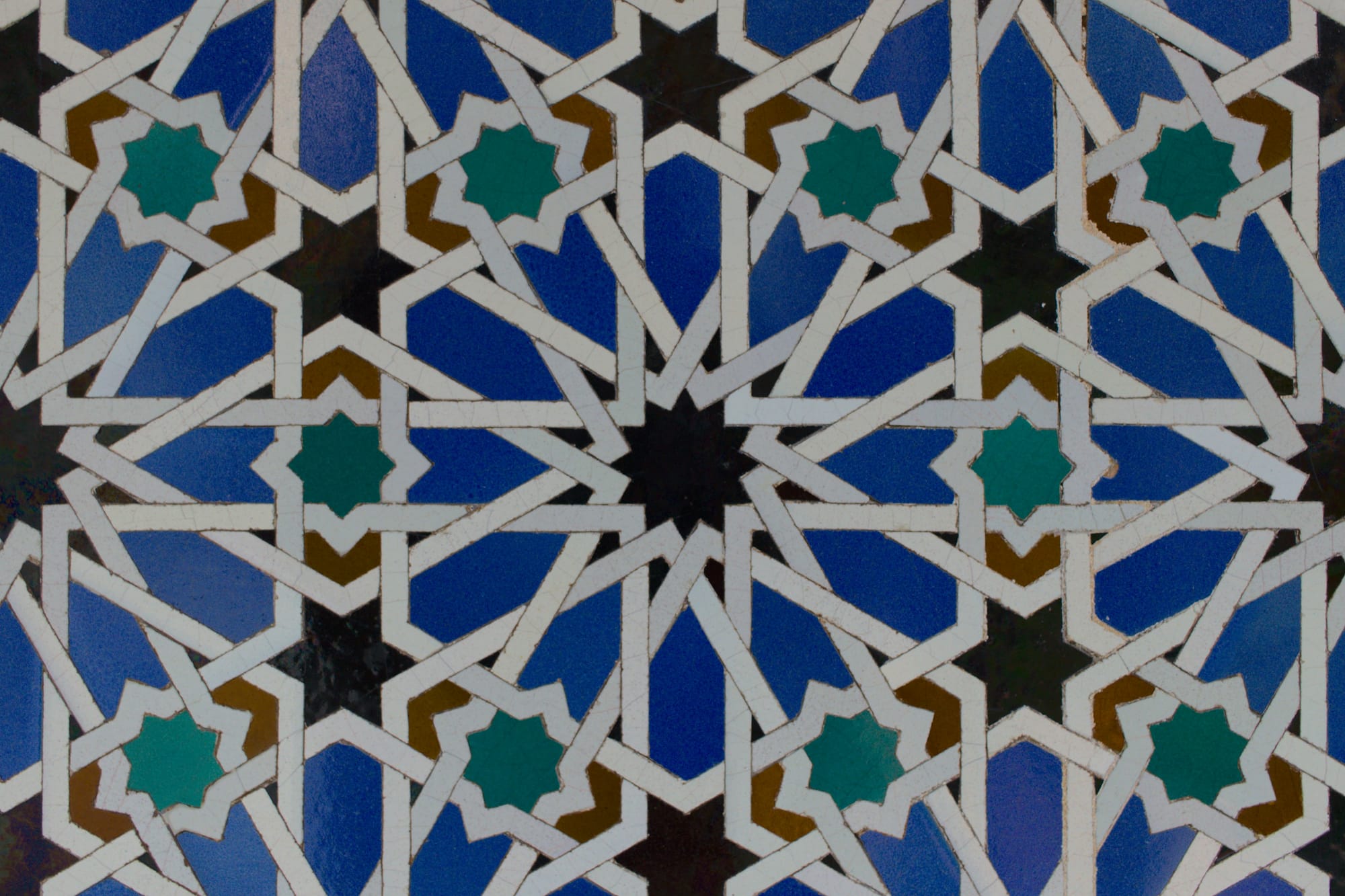
Fez (or Fes) is a city in northern Morocco. It's older than most things I can name — founded in the late eighth century, with a continuously inhabited medina on UNESCO's list since 1981. The city is one of the historic centers of zellige (also spelled zellij): geometric mosaic tilework made from small, hand-cut pieces of glazed terracotta. You see it on the walls of mosques, madrasas (theological schools), fountains, and old courtyards across Morocco. The 14th-century Bou Inania madrasa in Fez is a famous example.
Zellige patterns are built around a small set of geometric "DNA," and the simplest one is a six-point star sitting on a hexagonal grid. That's the Fez pattern in this generator. It's not the only pattern Fez is known for. Eight- and 12-point variants are everywhere, too, but the six-point version is the most common.
I'm calling it "Fez" partly because the tool needs a name and partly because the city is where most of us first see this style. The geometry itself isn't unique to Morocco. The same construction appears in Andalusia, Persia, and Central Asia, often with different proportions and palettes.
What the pattern actually is
Underneath the visual, the Fez pattern is two things:
- A hexagonal tiling — the same one a beehive uses, with three hexagons meeting at every vertex.
- A six-point star drawn at every vertex of that tiling.
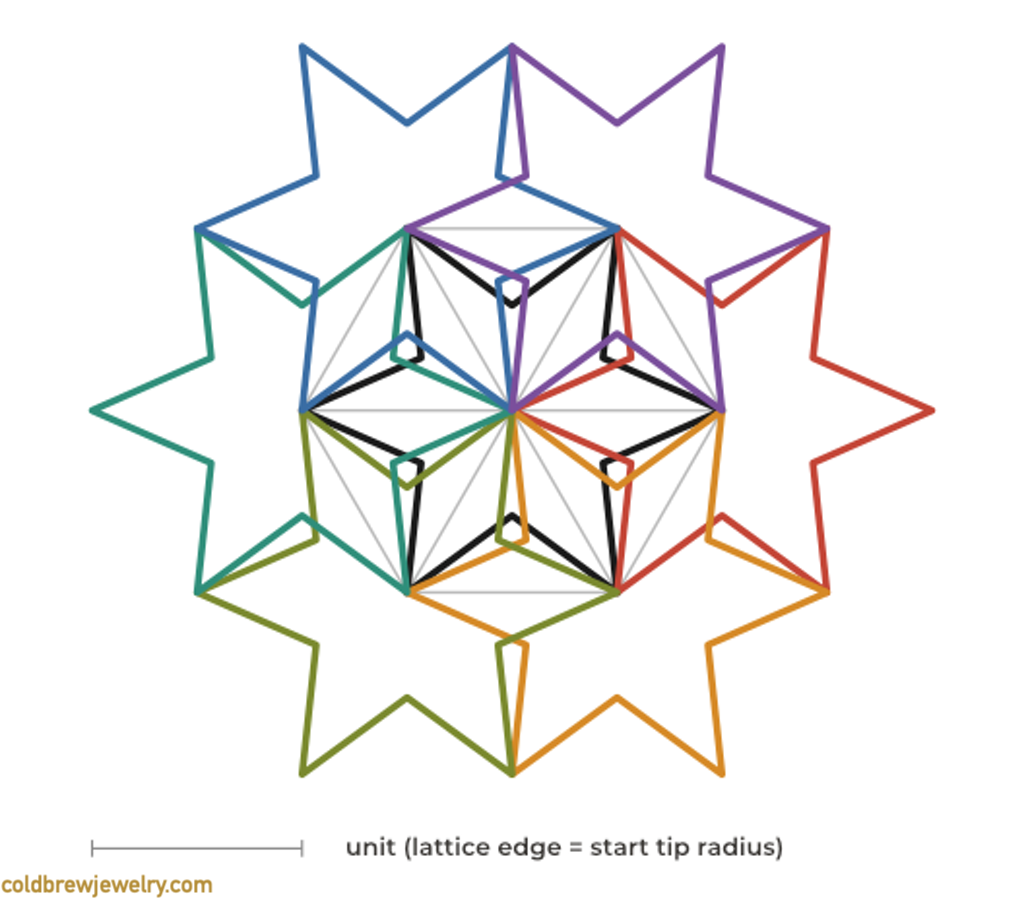
The bands you see in the final pattern aren't drawn directly. They're built using a method called polygons in contact, sometimes credited to Ernest Hankin in the 1920s, though Islamic designers had clearly been using something like it for centuries before he wrote it up. You start with the underlying tiling, place a regular polygon (a hexagon, for the six-point case) at each vertex, and let the polygons touch their neighbors at fixed angles. The angle of contact controls how sharp or how blunt the star points come out. For Fez, the canonical contact angle is 60 degrees, which gives the star a balanced ratio of point length to inner width.
In the generator's code, the rule that produces the canonical Fez look is:
- Six-star points per rosette.
- 60-degree contact angle.
- Star tip radius equal to the hex edge length, so adjacent stars share a tip exactly at the midpoint of every hex edge.
That last point is what makes the pattern look continuous. Every band ends at a tip that another band starts from. Nothing is floating.
Look at a rendered medallion, and the six-pointed stars don't jump out at you immediately. What you see is a network of small openings at each rosette center with bands fanning out toward the neighbors, and the connections between rosettes read more strongly than the rosettes themselves. The "six-point" label describes the construction underneath (six bands per rosette, six-fold symmetry around every node) more than the shape your eye locks onto first. Once you know to look for it, the six-fold pattern around each node becomes obvious.
Why six-point patterns work for jewelry
Most published examples of Islamic geometric ornament use eight-, 10-, or 12-point stars. Those look more "fancy," but they have a problem on a jewelry scale: each band gets thinner, each cut-out gets smaller, and at some point, you can't fit a saw blade through the negative space without compromising the structure.
Six-point patterns are different. Because there are fewer points, the bands stay wider for a given outline size, and the cut-outs stay larger. You can comfortably saw-pierce a 30 mm pendant in 22-gauge sheet using Fez and end up with bridges around 1 mm and cut-outs wide enough to drill a threading hole into.
So, for small work, Fez is the most forgiving of the Islamic patterns. That's also why I picked it as the first preset.
The controls that matter for Fez
The generator has a few sliders that affect the pattern. A couple of them behave specifically for the six-point geometry, so it's worth a quick walk-through.
Star size
Sets the size of each star, which is the same as setting the hex tiling unit. Small stars give you a finer, busier pattern. Large stars give you fewer, bolder stars. For a 40 mm circle in 20-gauge sheet, you can start with small stars (three to four stars across the design) and bump it up if I want more visual weight per star.
Band width
This is the actual metal between the cut-outs. The minimum is set by the gauge (a 22-gauge sheet has different structural requirements than an 18-gauge sheet), and the slider scales up from there. Heavier bands look bolder but lose some of the lattice feel. The generator produces a combination of smaller and larger cut-outs. You can tweak the settings or simply ignore those cut-outs that you don’t need.
Ray angle
Slides between sharp and wide rays. The middle setting is the canonical Fez geometry — an inner-radius-to-tip ratio of 0.5, which is what sin(30°) works out to. Going closer to the Sharp side makes the points longer and sharper. Anything closer to the Wide side makes them blunter. There's a structural ceiling: the inner points of adjacent stars start to collide around 0.577, and the generator clamps the slider before that.
Center on
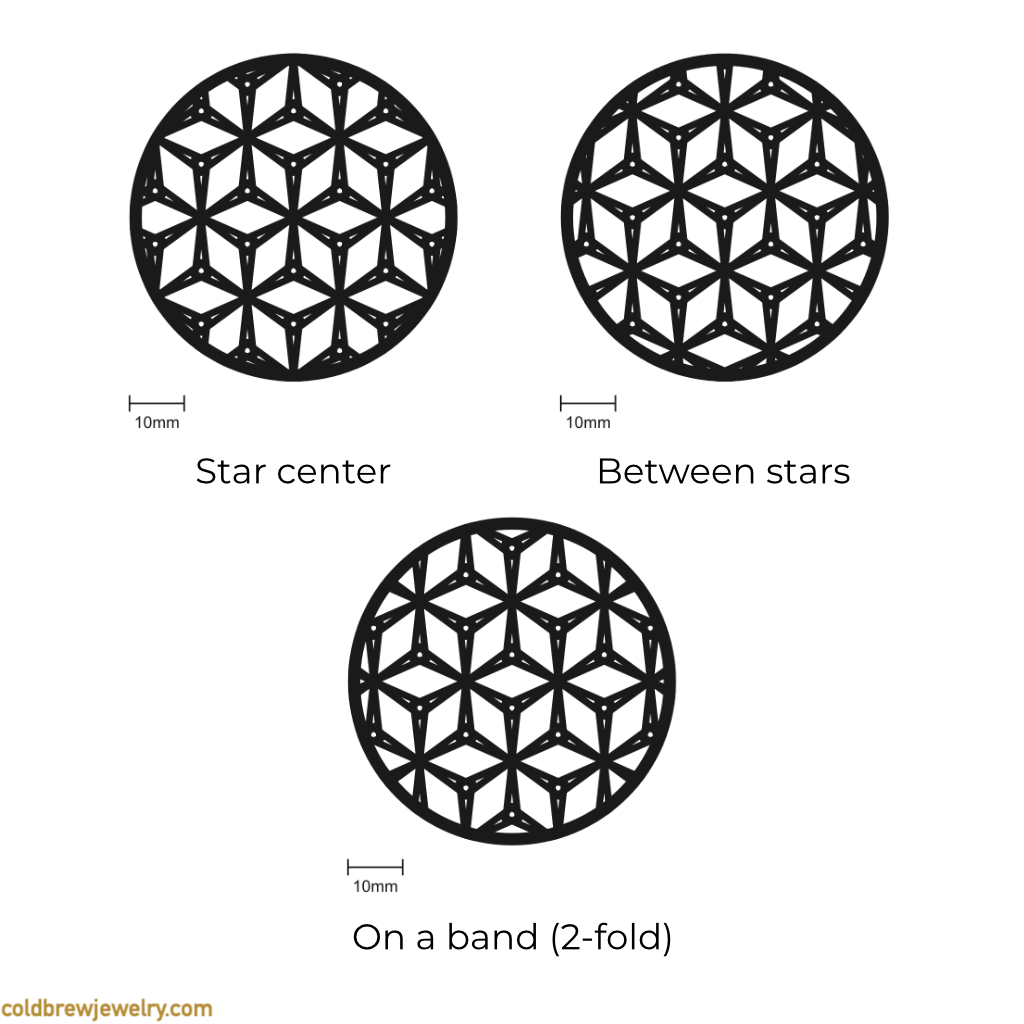
Snaps the pattern's origin to one of three symmetry points. Star center puts a six-fold star in the middle of your outline, which is the most common and balanced choice. Between stars puts the threefold gap between three stars at the middle, which gives a more open, breathing center. On a band is unusual but works for elongated outlines where you want the band to act as a spine.
If a setting violates the structural minimums (bridges too thin, cut-outs too small to thread a saw blade through), the metric panel highlights it in red, and the preview still renders so you can see what's wrong. Adjust until it stops shouting at you.
A note on size
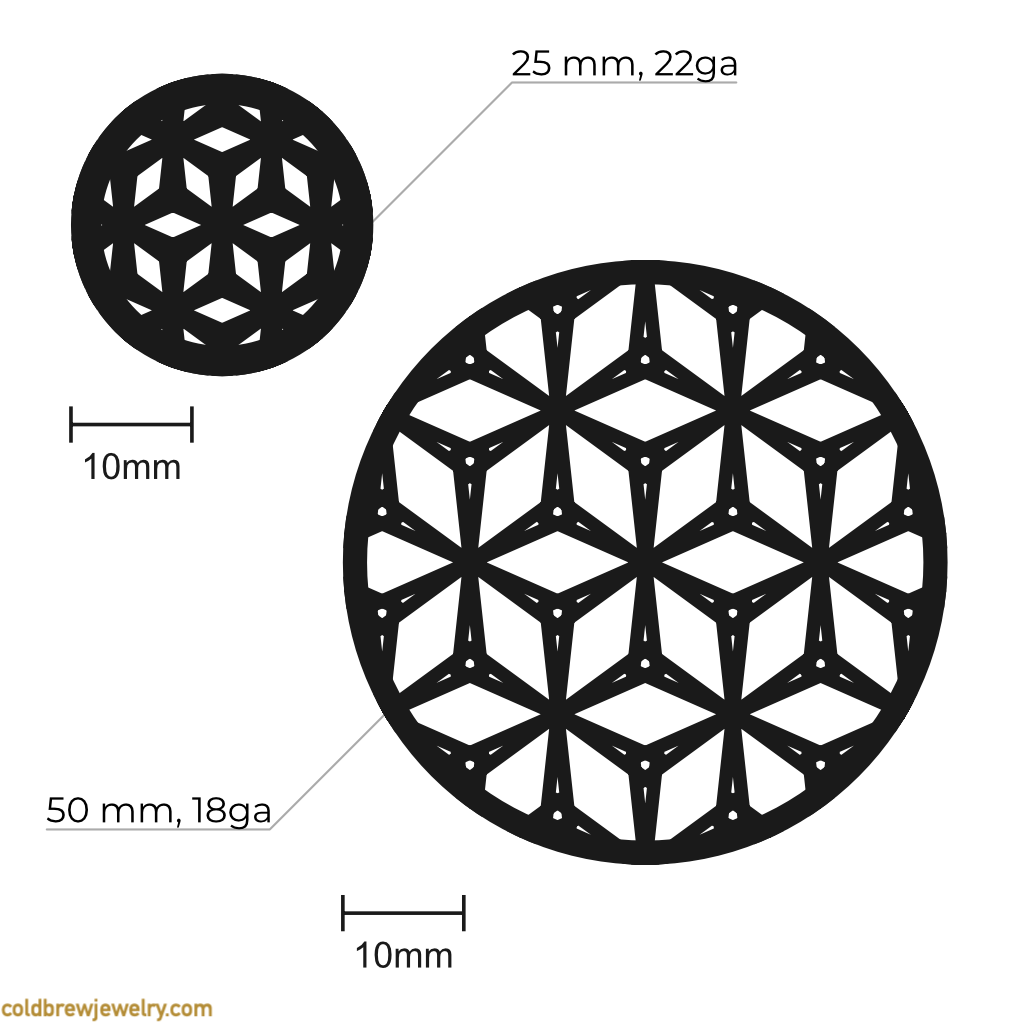
The generator's structural validation runs against your gauge selection. A 22-gauge sheet requires bridges of at least 1 mm and cut-outs at least 1 mm wide. Below about 25 mm of outline at that gauge, those constraints start to squeeze, and the warnings appear. With a 22-gauge sheet at 0.64 mm thick and bridges right at the structural floor, my hunch is the piece would feel fragile in actual wear, even before any drops. Above 50 mm, you can comfortably move to a heavier sheet (18-gauge, around 1 mm thick) and get a piece with real weight in the hand.
If I were at the bench right now, I'd try 30 mm in 20-gauge for a first attempt. Good structural margin, small enough to feel like a real piece. As I mentioned before, make your best judgment on which cut-outs you’d like to keep.
What's next
The next two presets I want to add are:
- Isfahan — eight-point stars on a square-based tiling, named after the Persian city where this style is everywhere. Bolder than Fez at large outlines, finer at small ones.
- Alhambra — 10-point stars, after the palace in Granada. The most "show-off" of the three, with the longest, sharpest rays, and the most dramatic interlace. Won't work at jewelry scale below about 40 mm, but I want to try it for brooches.
If you make something with the Fez preset, I'd love to see it. DM me on Instagram — I'm slow to reply, but I do reply.